Hacking my old Nokia e72
I bought a Nokia e72 two months ago. My main goal was to try a phone with a QWERTY keyboard and a big battery (not big in mAh, but big in the sense that I only have to charge it once a week).
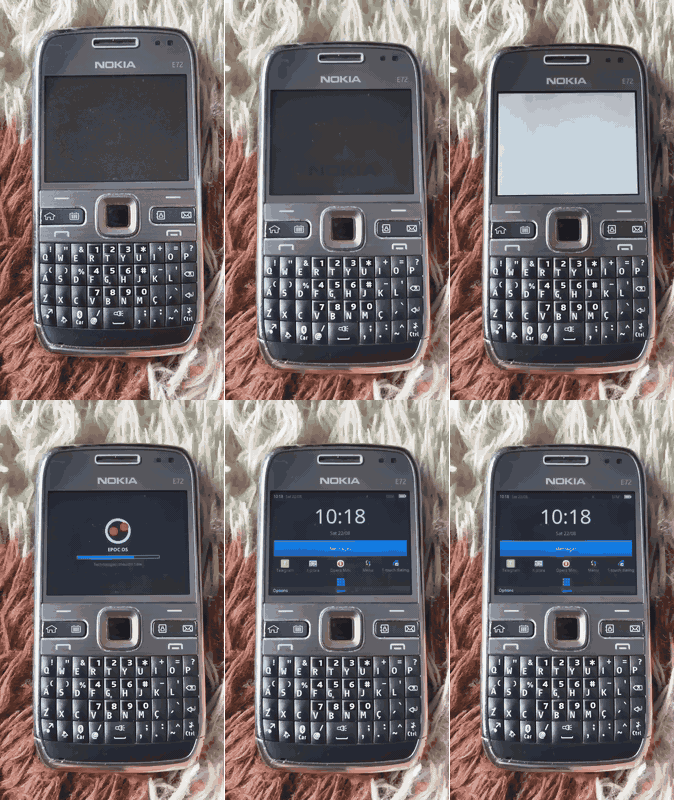
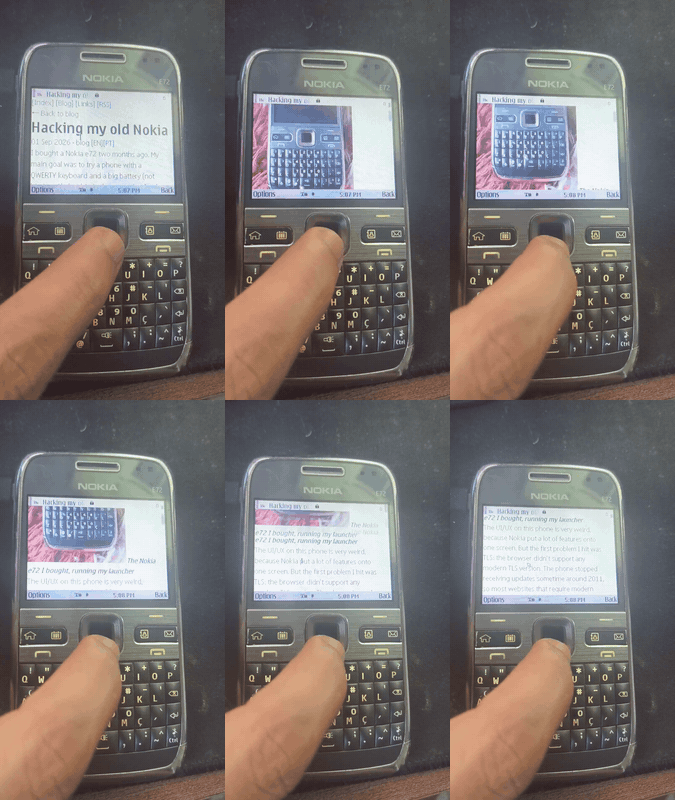
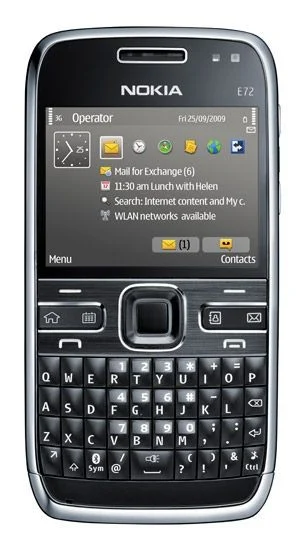
The UI/UX on this phone is very weird, because Nokia put a lot of features onto one screen. But the first problem I hit was TLS: the browser didn't support any modern TLS version. The phone stopped receiving updates sometime around 2011, so most websites that require modern protocols won't load. Looking for a fix, I found community groups with a lot of projects dedicated to keeping these devices usable.
/nnproject/
This group has a lot of solutions for Nokia. They have a Telegram client, an SSH client, and most important for me, a patch that enables TLS 1.2. It uses mbedTLS and works very well. They have some patches that improve Java, but I didn’t install them, since I'm not planning to install Java applications for now.
A friend showed me another thing that is essential on this device: ROM Patcher. It let me ‘hack’ my phone and install any application I wanted. The install process itself is pretty fun. With ROM Patcher you can write arbitrary data to memory, so the community built bypasses for system file protection, for unsigned applications and more. After installing it, I could install any application without running into Nokia's certificate checks.
So, good applications, a good community, but I had no good tooling for writing new apps. That is when I thought: We need a proper SDK for native applications, one that borrows ideas from the web and modern libraries.
And that's how the Epoc project was born. An SDK for building applications in Rust.
How Epoc works
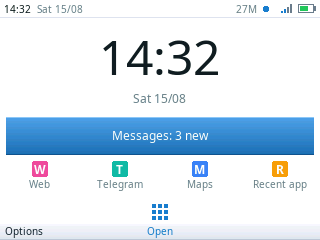
After the industry moved to other operating systems like iOS and Android, the Symbian Foundation put online the system's source code, but without firmware details specific to Nokia and other vendors. That gave me access to a lot of functions and let me write a C++ layer to connect my SDK to them. The Nokia e72 has no GPU so everything on screen has to be drawn by hand. So I started there and once that worked I added a new abstraction layer to make the process feel closer to building a web application.
Creating an application with cpp
void CRecentControl::DrawRowL(const TRect& aRect, TInt aIndex, TBool aSelected)
    {
    if (aSelected)
        {
        iBackGc->SetBrushColor(TRgb(0x2d, 0x5a, 0x8c));
        iBackGc->SetBrushStyle(CGraphicsContext::ESolidBrush);
        iBackGc->Clear(aRect);
        }

    // The row has to know it is selected in order to know what colour it is.
    const TRgb name = aSelected ? TRgb(0xff, 0xff, 0xff) : TRgb(0xf0, 0xf0, 0xf0);
    const TRgb time = aSelected ? TRgb(0xff, 0xff, 0xff) : TRgb(0x8a, 0x8a, 0x94);

    const TRect inner(aRect.iTl.iX + KPad, aRect.iTl.iY,
                      aRect.iBr.iX - KPad, aRect.iBr.iY);
    const CFbsFont* strong = (const CFbsFont*) iCoeEnv->NormalFont();
    const CFbsFont* small  = (const CFbsFont*) CEikonEnv::Static()->AnnotationFont();
    iBackGc->SetBrushStyle(CGraphicsContext::ENullBrush);

    // Right column first, because the left one is whatever it leaves.
    // The baseline offset is measured from the bottom of the box.
    TPtrC timeText(KChats[aIndex].iTime);
    const TInt timeW = small->TextWidthInPixels(timeText);
    const TInt timeBase = inner.Height()
                          - (inner.Height() - small->HeightInPixels()) / 2
                          - small->DescentInPixels();
    iBackGc->UseFont(small);
    iBackGc->SetPenColor(time);
    iBackGc->DrawText(timeText, inner, timeBase, CGraphicsContext::ERight, 0);
    iBackGc->DiscardFont();

    TPtrC nameText(KChats[aIndex].iName);
    const TRect left(inner.iTl.iX, inner.iTl.iY,
                     inner.iBr.iX - timeW - KPad, inner.iBr.iY);
    const TInt nameBase = left.Height()
                          - (left.Height() - strong->HeightInPixels()) / 2
                          - strong->DescentInPixels();
    iBackGc->UseFont(strong);
    iBackGc->SetPenColor(name);
    iBackGc->DrawText(nameText, left, nameBase, CGraphicsContext::ELeft, 0);
    iBackGc->DiscardFont();
    }
First version with my symbian-ui (Already written in Rust)
fn draw_row(c: &mut Canvas<'_>, rect: Rect, theme: &Theme<'_>, index: usize, selected: bool) {
    let (name, time) = CHATS[index];
    let pad = theme.metrics.pad;
    let inner = rect.inset_xy(pad, 0);

    let (fg, dim) = if selected {
        (theme.palette.selection_text, theme.palette.selection_text)
    } else {
        (theme.palette.text, theme.palette.dim)
    };

    // Right column first, because the left one is whatever it leaves.
    let time_w = theme.fonts.small.measure(time);
    let (right, left) = inner.split_right(time_w);
    c.draw_text_in(right, time, theme.fonts.small, dim, Align::End);
    c.draw_text_in(Rect { x1: left.x1 - pad, ..left },
                   name, theme.fonts.strong, fg, Align::Start);
}
Current version (using symbian-decl-ui)
fn declared_row(index: usize) -> Group {
    let (name, time) = CHATS[index];
    // No `if selected`. `Ink::Text` and `Ink::Dim` resolve against the ground
    // the list put them on, so the row says what it means and the highlight is
    // handled where the highlight is painted.
    Row::new()
        .align(CrossAlign::Stretch)
        .padding(Edges { left: 5, right: 5, top: 0, bottom: 0 })
        .gap(5)
        .child(Text::new(name).font(FontRole::Strong).ink(Ink::Text).flex(1))
        .child(Text::new(time).font(FontRole::Small).ink(Ink::Dim).align(Align::End))
}
Reverse engineering the system applications
Once I had my first Rust sample running on the Nokia, I started an application to navigate more easily inside the system and list applications, read and write. So inspired by the Android ecosystem I built my own ADB for Symbian (ADBian). With this program I can hook it up to Claude Code or another harness for code and read a lot of binaries to understand how this works. After some weeks I discovered a lot of functions and started the process to create some applications using this SDK.
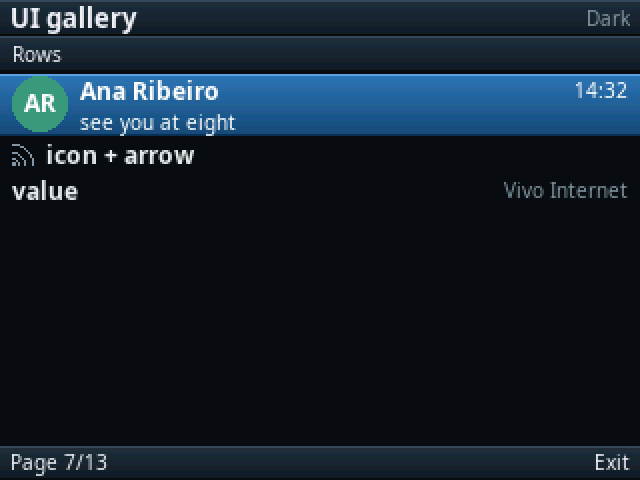
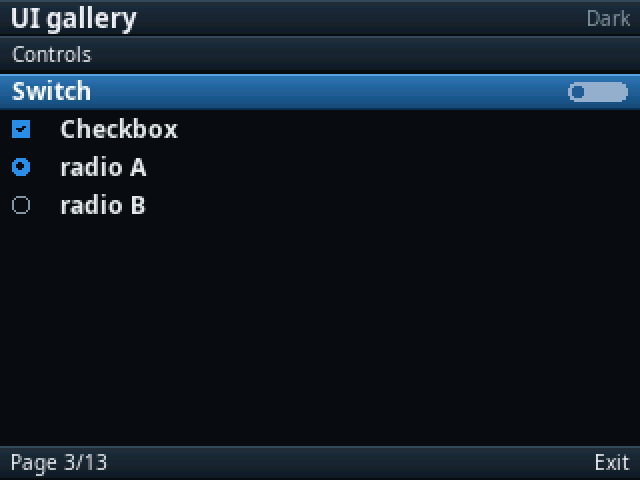
- Library of components;
- Tg a Telegram client (The community already has a lot of solutions for this, but building one myself sounded like fun, even if it ends up being slop);
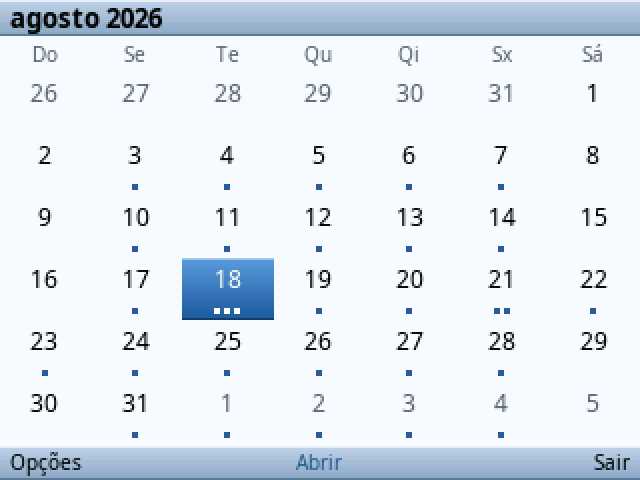
- Cal a calendar solution integrated with iCal and supporting MTM notifications;
- Epoc OS a crazy idea to change the boot process and put my launcher to control the application lifecycle and mount my notification server inside;
- Store to make installing the latest version of an app easy using the same approach as ObtainX.
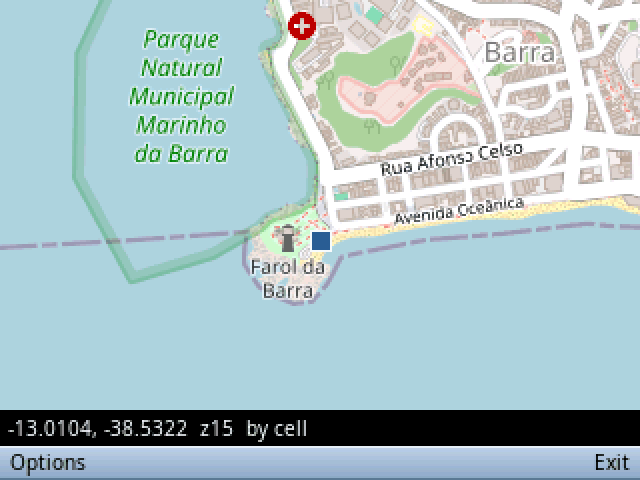
Results
I'm going to make all of this public, and I have tried to document everything to help people build new applications. I started with AI because my main goal is to prove that this can be possible for use and now I can start to code to my SDK. Porting all the functions by hand without AI would have been far too slow, and this is only a side project to me.